
 Canuck360 · base portal included
 The fire compliance portal for property managers
Built for managers running multiple buildings: see the status of every extinguisher, emergency light and fire-safety device, building by building. PDF reports, corrective action letters and deficiencies in one place, anytime.
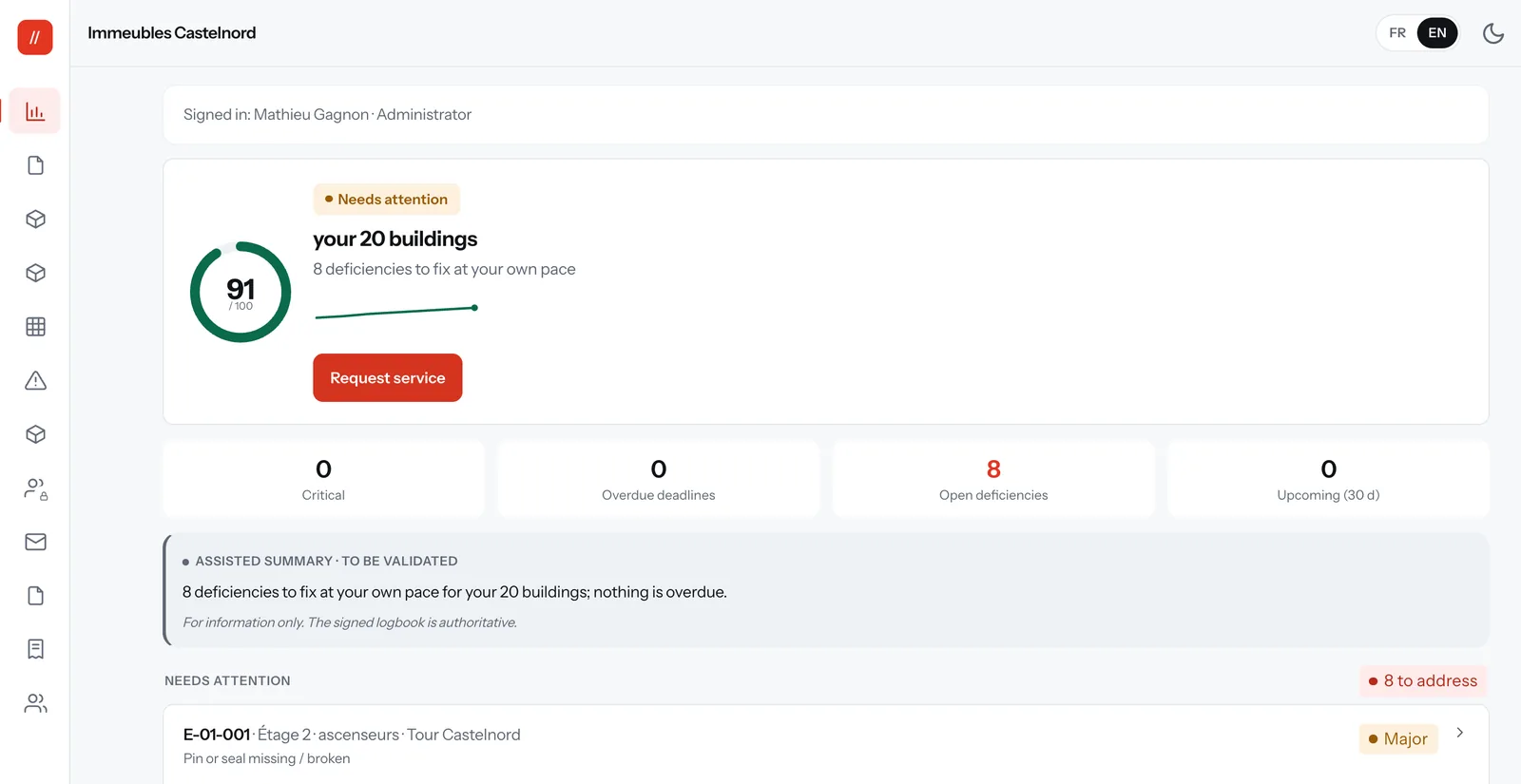
The headache, solved
Inspection reports and corrective action letters get lost on paper or buried in an inbox.
An inspection deadline slips by and you find out too late.
The fire prevention officer or your insurer asks for proof of maintenance, and you scramble to find the monthly inspection log.
What you get
Every building's status, and this year's services
A dashboard per address: the status of every device, what still needs attention and this year's services.
PDF reports and corrective action letters
A PDF report for each inspection, plus a corrective action letter when work is needed.
Every deficiency, from finding to verification
Each sheet gives, where applicable, the reference to the standard and tracks 4 steps: reported, quoted, corrected, verified.
Your deadlines, in plain view
On screen, building by building and device by device. We write to you before your annual inspection and your renewals.
Quotes approved online
Every quote opens with its details, taxes and the deficiencies it covers. An administrator approves or declines it online.
Invoices and account balance
Your invoices, their PDFs, payments received and your balance. Official invoices continue to arrive by email.
Three access levels
View only, Manager or Administrator. For the first two, you tick their buildings. Administrators see everything, quotes and invoices included.
Available in English
Each user switches language in one click. Official reports and letters are issued in French.
A look at the portal
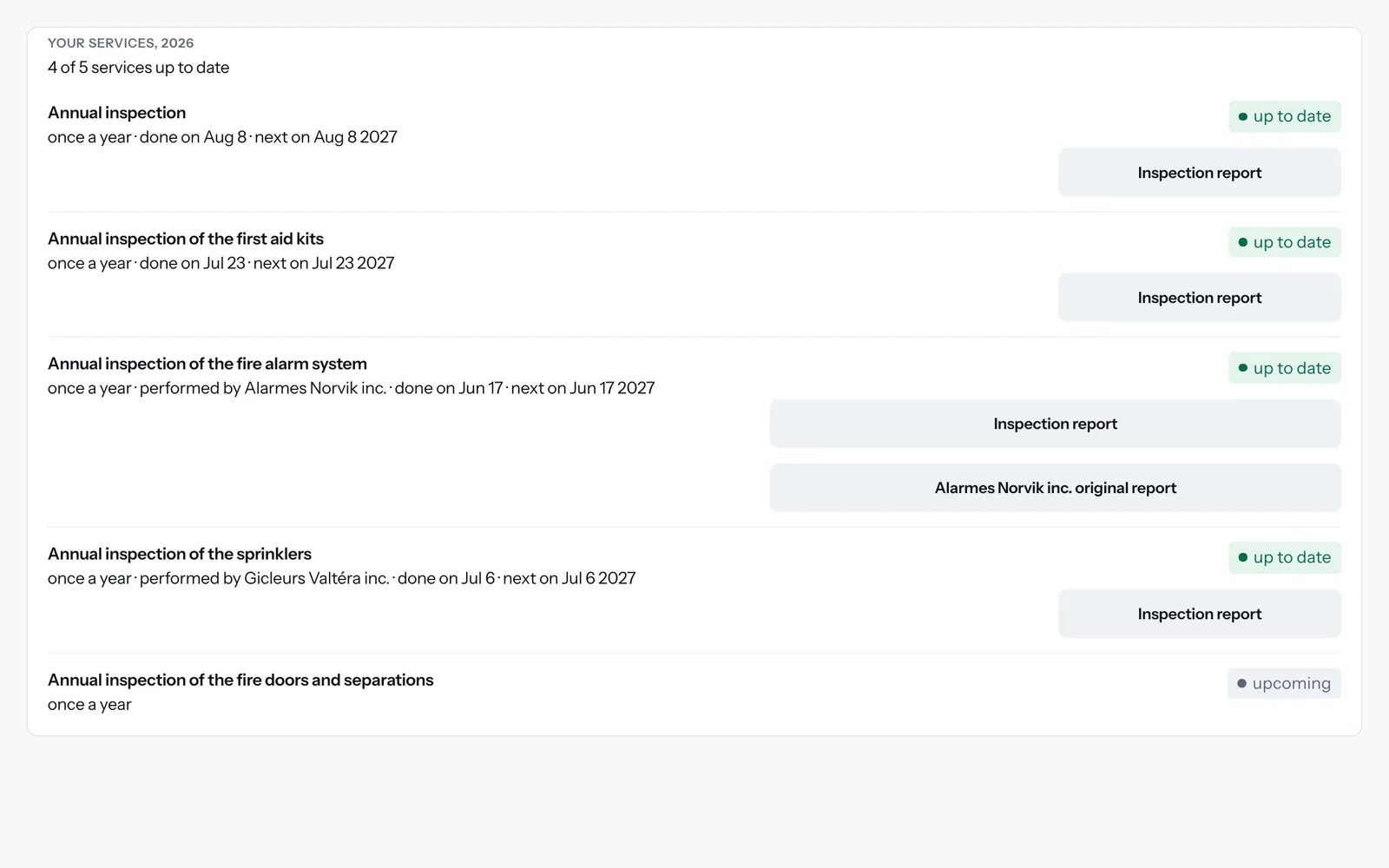
Each building: this year's services, their dates and their reports.
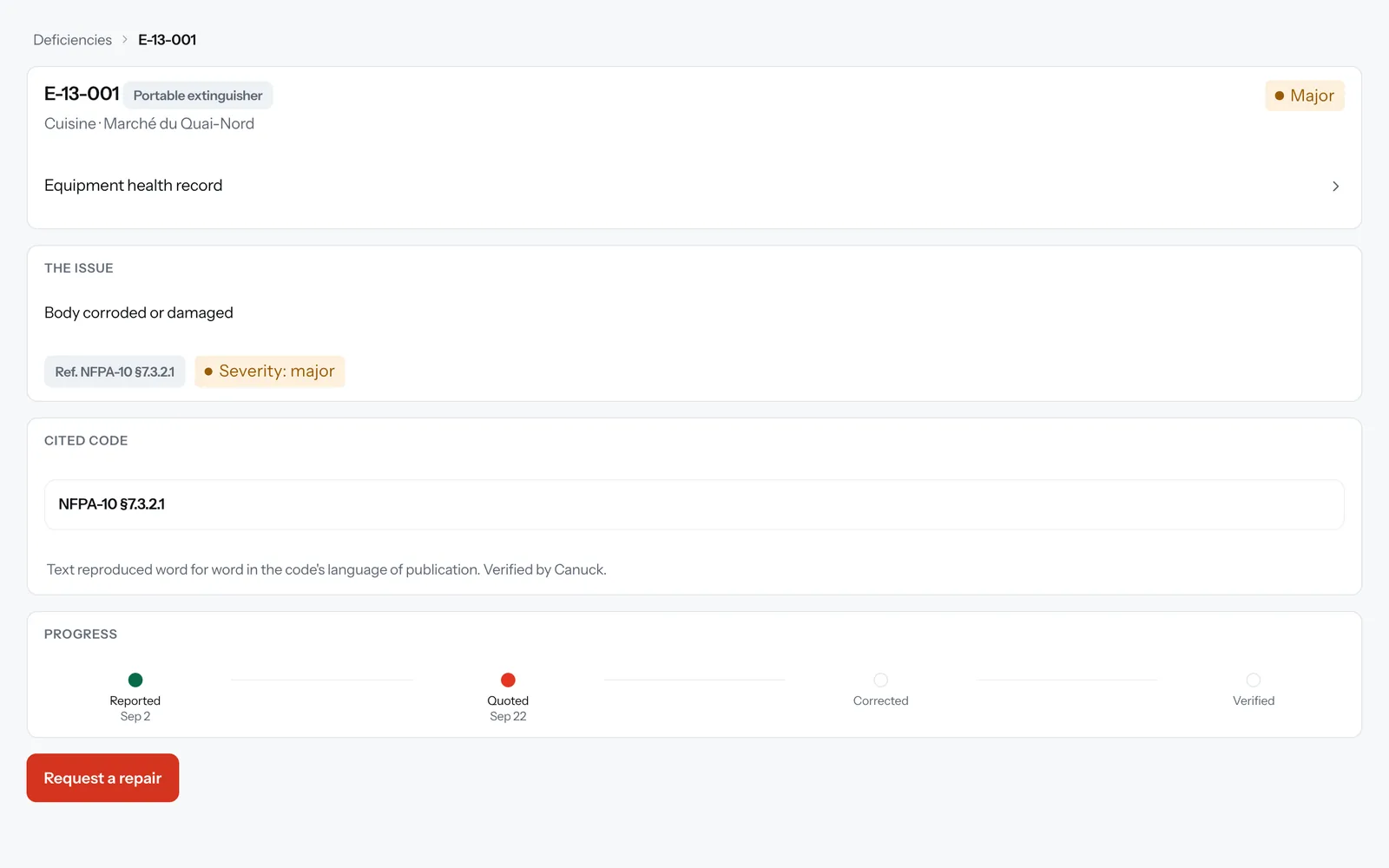
The code reference, 4-step progress and the repair request.
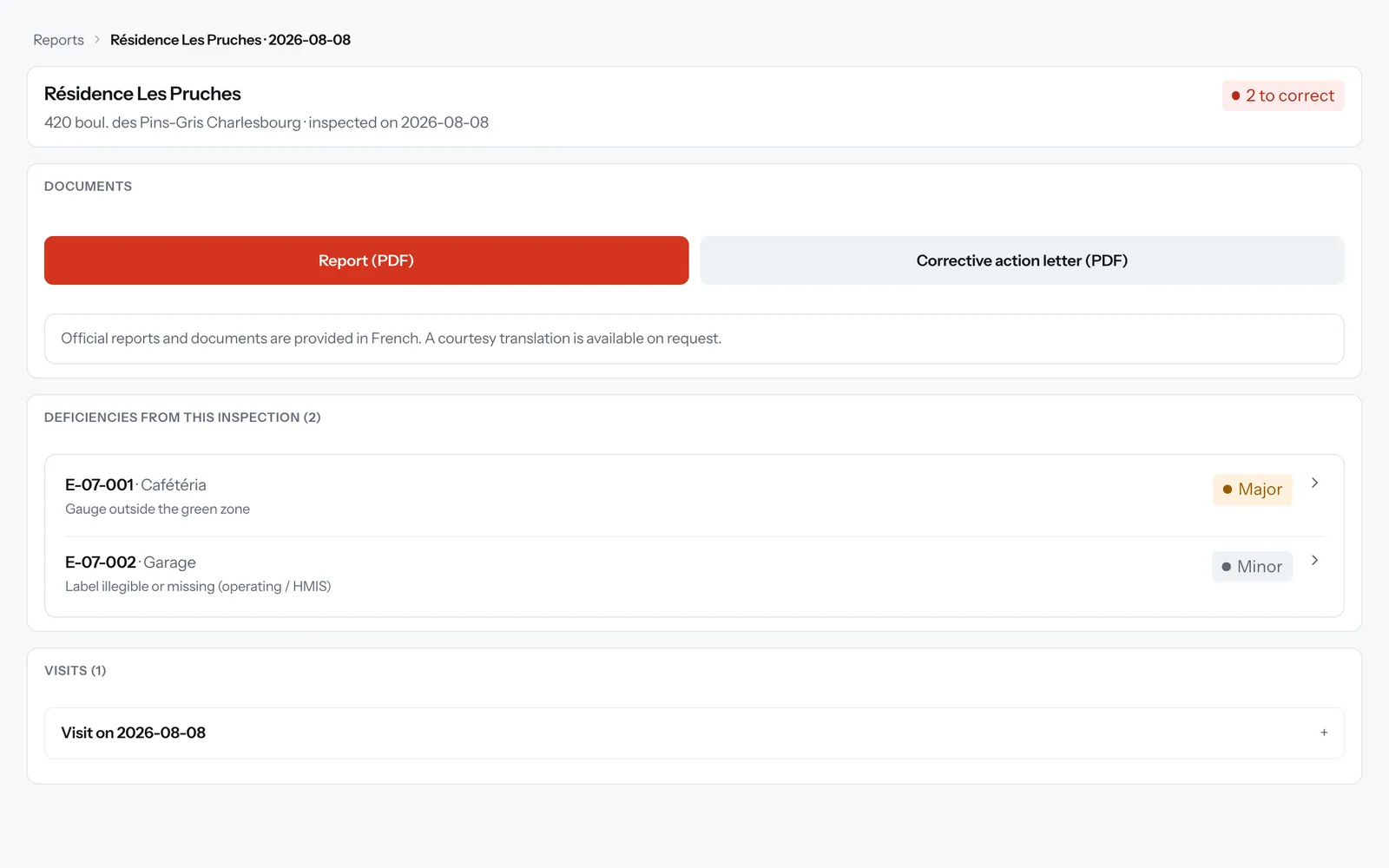
Each inspection's PDF report and, when needed, its corrective action letter.
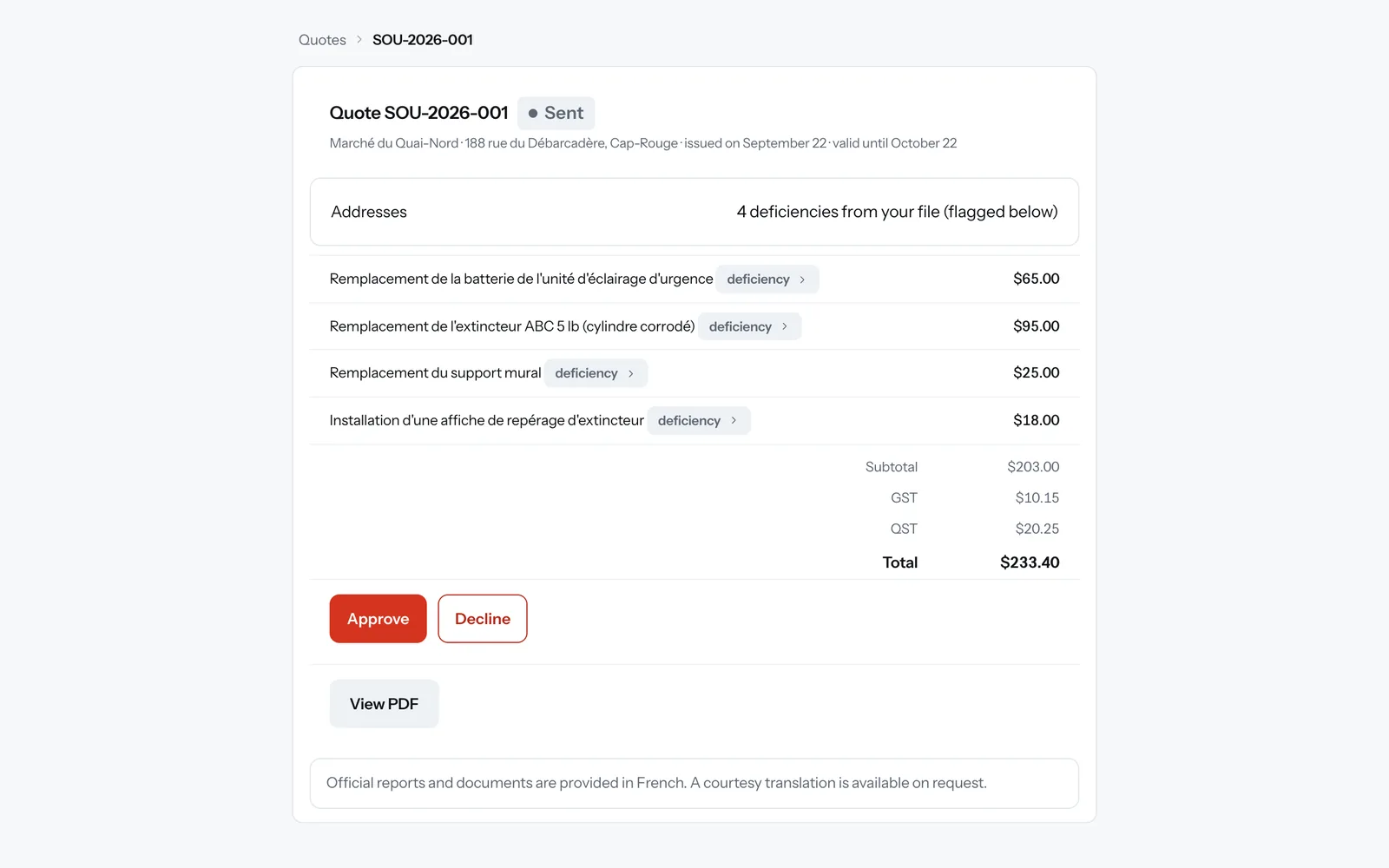
A quote with its taxes and the deficiencies it covers, approved online.
Fictional demo data.
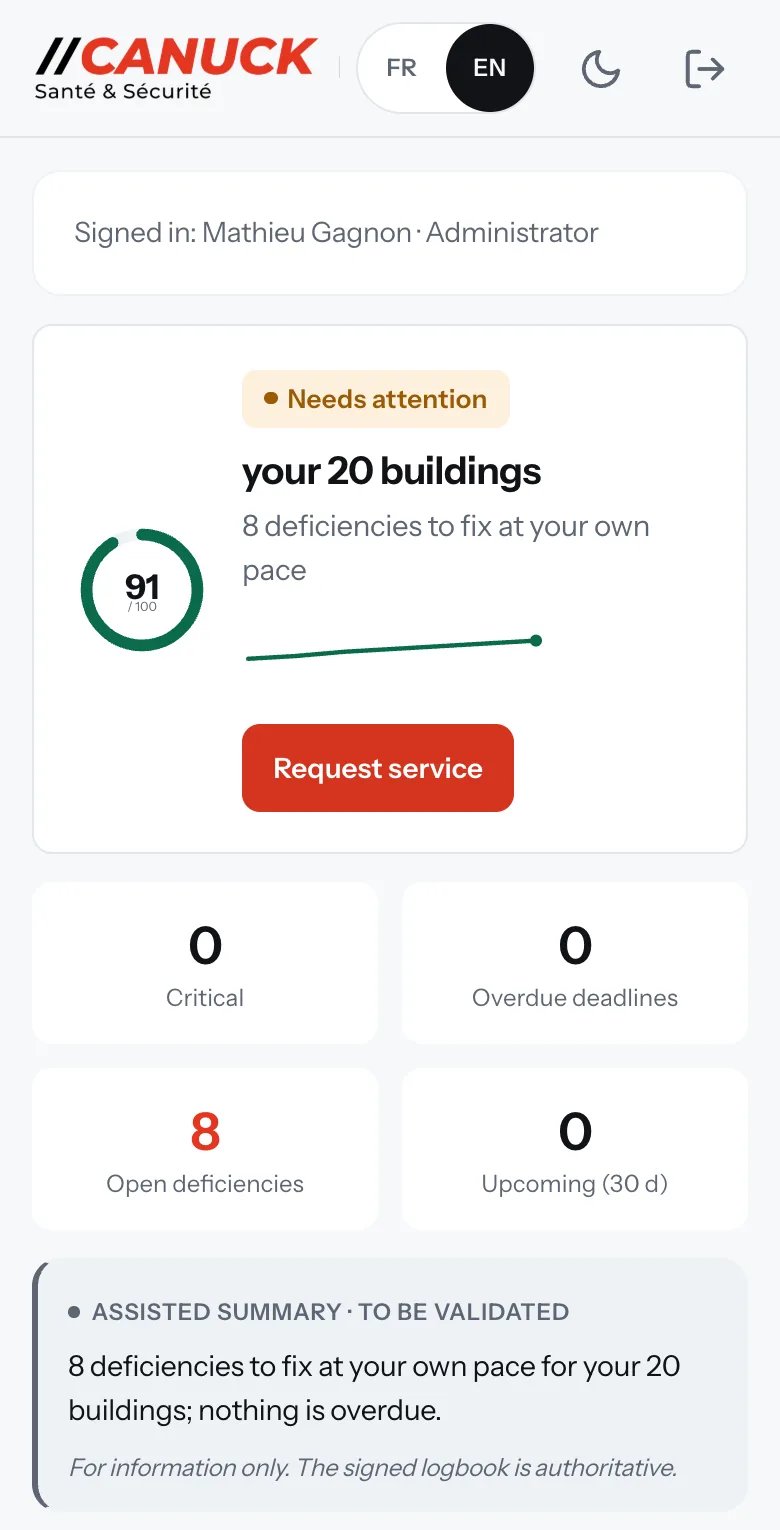
On your phone too
The same portal on your phone, from one building to the next.
A QR sticker on the device
Scanning it with a phone opens the device's page: its type, location, last inspection and next due dates. No account or app needed. The page opens in French.
The portal is available in English. Official reports and letters are issued in French.
Optional modules
The base portal is included with your service.
A logbook that proves your monthly checks
Every monthly check is recorded in your building's logbook, with its date and result. Checks made by scanning the QR sticker are also time-stamped and chained to the one before, so any later change would be detected. Print it anytime, and give the fire prevention officer a read-only link, with no account to create.
With our monthly service, a Canuck technician does these checks for you every month. Checks by your own staff are available as an option, supervised by Canuck.
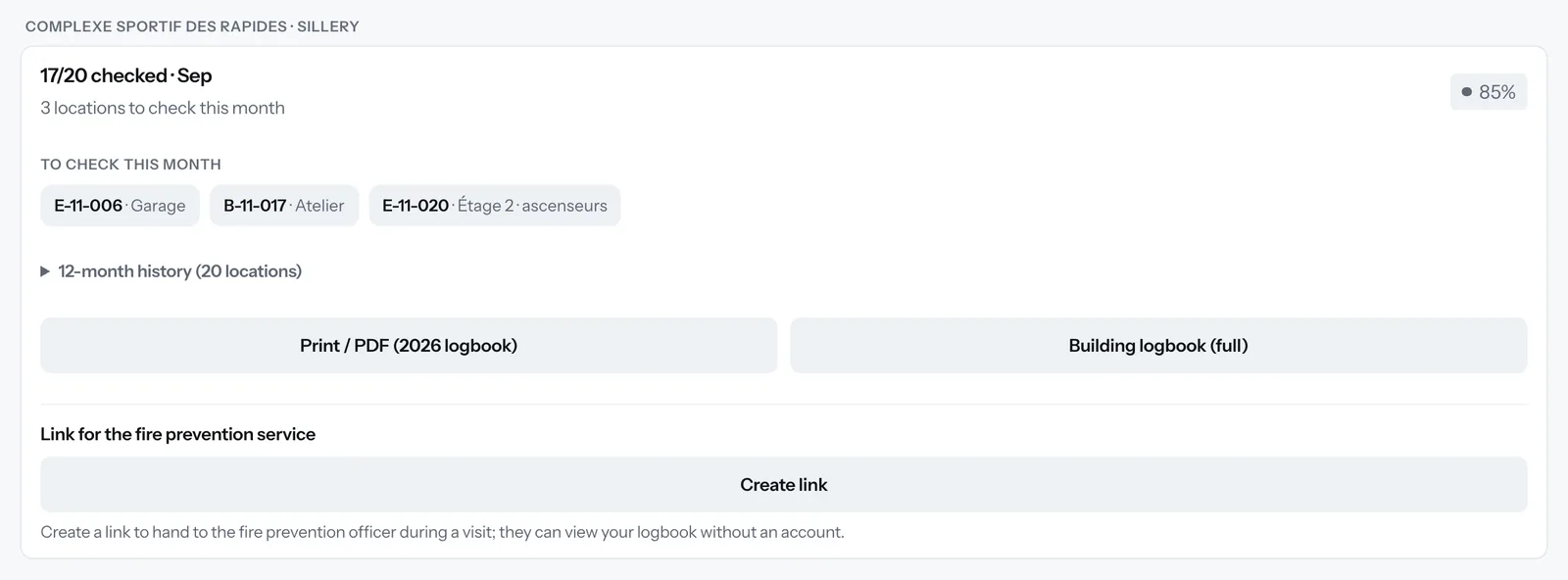
Also available as options: vehicle fleet, staff and certifications.
How it works
We inspect your equipment
Our technicians inspect your portable extinguishers and other fire-safety equipment to the NFPA-10 standard and the applicable regulation.
You get a recap
When the work is done, our office emails you a recap with a link to your building's status page and its documents. Everything is also in the portal: PDF reports, corrective action letters, deficiencies and upcoming due dates.
You track it and act on it
Check the status of each building, download your documents, approve a quote and request a visit whenever you need one.
Frequently asked questions
How much does Canuck360 cost?
The base portal is included with your Canuck inspection service. Your equipment is already maintained with us, and you get portal access to keep track of it all. The Logbook, Vehicles and Staff modules are optional. Request a quote and we'll walk you through what applies to your portfolio.
Can I give access to more than one person?
Yes. An administrator in your organization creates one login per person and picks a level: View only, Manager or Administrator. For View only and Manager, the administrator ticks the buildings the person can see. Administrators see every building, and only they see quotes and invoices.
Can I pass the reports on to my insurer and the fire prevention office?
Yes. Each report documents an inspection done to the applicable standards and regulations: the deficiencies to correct, with the paragraph number at issue where applicable, and each device's next due dates. You download it as a PDF, with the corrective action letter when there is one, and pass it along as is. With the Logbook module, you can also give the fire prevention officer a read-only link to your logbook, with no account to create.
What does the "Your services" panel show?
For each of this year's services: the date it was done, the next date planned and its report. When a partner firm does the work, its original report is added in the same place once our office has received and published it.
Is my access protected?
Yes. If you forget your password, our office sends you a single-use reset link that stays valid for 24 hours. Your session closes after 12 hours of inactivity, and you can sign out of every device in one click.
Is the portal available in English?
Yes. The portal is available in English: each user switches languages in one click, on the login screen or at the top of any page. Official reports and letters are issued in French, as are quotes, invoices, emails, the page a QR sticker opens and the notes written by our team.
What's included, and what's optional?
The base portal is included with your service: the status of your buildings and devices, your reports and corrective action letters, deficiencies with their "Request a repair" button, deadlines, quotes and invoices. Three modules are optional: the Logbook for monthly checks, vehicle fleet, and staff and certifications. In the portal, an optional module shows a padlock and a "Request activation" button.
See Canuck360 on your buildings
The base portal is included from your first service.